How to Choose Between Software and Hardware Crypto Wallets Safely
What a Crypto Wallet Is
A crypto wallet is a tool - program or physical device - that stores and manages the cryptographic keys needed to access, send, receive, and control digital assets. It gives you an interface to interact with a blockchain. It does not normally hold the coins, tokens, Ether, Bitcoin, NFTs, or other assets themselves. Those stay recorded on the relevant blockchain ledger.
Losing access to a wallet does not normally remove an asset's ledger entry. If the private key or recovery phrase becomes unavailable, the assets may remain on the blockchain but cannot be accessed or moved. This is why private-key protection and recovery planning are central to wallet use.
I keep coming back to this: a wallet manages the keys to your digital assets; it does not store the coins themselves. That distinction matters more than most people realize at first. If you are new to this space, start with a crypto wallet and understand what it actually does before you move funds around.
A wallet has several related functions: storing or safeguarding keys, generating or displaying public addresses, signing transactions, sending and receiving cryptocurrency, buying or selling assets through connected exchanges, interacting with dApps, managing multiple accounts, and creating derived addresses.
How Keys, Addresses, and Transactions Work
Crypto wallets work with a public-private key pair. The public key represents the account on a blockchain and is used to derive wallet addresses. Other people can send assets to those public addresses. The public key or address can generally be shared so someone knows where to send funds.
The private key is the secret credential used to prove control over an address and authorize transactions. It functions like a highly sensitive password. Anyone who obtains the private key may be able to control the associated assets. The private key signs a transaction, and the blockchain uses that signature to verify authorization.
A wallet can have multiple addresses, and each address can have a different history and balance. A wallet address is not the same thing as the asset itself - it is a location or account identifier on the blockchain. The asset remains at that location until a valid signed transaction changes it.
A private key may be represented in different formats: a long hexadecimal code, a mnemonic or seed phrase consisting of ordered words, or another key representation used by a compatible wallet or protocol.
A BIP39 seed phrase commonly contains 12 to 24 words selected from the BIP39 protocol word list. The words represent recovery information that can be used to restore compatible wallets. Self-custody normally has no "Forgot Password" email or conventional password-reset process. The user must safeguard the recovery information.
A password used to unlock a software-wallet interface may be separate from the private key or seed phrase. Many software wallets use a password for convenience so the user does not have to enter a private key every time. The underlying private key or seed phrase still controls the blockchain assets. Losing both the password and the private keys can permanently eliminate access.
What Crypto Wallets Are Used For
A wallet supplies the keys used to control cryptocurrency. Depending on the wallet, the user may manage balances across multiple addresses, networks, and token standards. Hardware wallets are commonly preferred for long-term storage because they keep private keys isolated from an internet-connected computer or phone.
A user can share a public address to receive assets and use the corresponding private key to authorize outgoing transactions. A self-custodial wallet can also send directly to another user's blockchain address without relying on a conventional bank transfer.
Wallets connected to exchanges may allow users to buy, sell, swap, or trade cryptocurrency. Some software wallets also support purchasing crypto with a bank card. Software wallets are generally more convenient for frequent transactions because they are already connected to the internet.
A wallet can function as a login credential for decentralized applications. The wallet supplies an address, signs authentication requests, and authorizes interactions. Common dApp uses include decentralized exchanges, financial tools, NFT applications, and blockchain games.
A wallet can provide the interface needed to lend assets, borrow against holdings, trade on a decentralized exchange, stake, and participate in yield farming. It can also connect with smart contracts whose rules govern those activities.
A wallet can hold the keys used to manage non-fungible tokens. NFTs remain recorded on the blockchain, while the wallet proves control and authorizes buying, selling, transferring, or displaying them.
Layer 1 and Layer 2 wallets perform broadly similar tasks at different levels of a blockchain ecosystem. Layer 1 networks such as Ethereum and Bitcoin are described as foundational networks where transactions are settled and consensus occurs. Layer 2 networks such as Starknet are built on top of a Layer 1 network moving much of the transaction execution away from the base layer. This is intended to increase throughput and reduce transaction cost and time.
Ethereum Layer 1 wallets include MetaMask and MyEtherWallet. Starknet Layer 2 wallets include Argent X and Braavos. They can be used to trade and store assets such as ETH and STRK stake in DeFi protocols and use blockchain games. The Layer 2 characterization emphasizes faster processing higher throughput and lower fees than congestion on the main chain.
Layer 1 and Layer 2 wallets can transfer assets between one another through an external bridge. StarkGate is the cited bridge. A user could transfer funds from an Argent X Layer 2 wallet to a MetaMask Layer 1 wallet or transfer assets in the reverse direction.
A Layer 2 wallet still relies on the security and settlement structure of its underlying system. Lower fees and faster transactions do not eliminate bridge smart-contract key-management or user-interface risks.
The Major Wallet Categories Are Independent Labels
Wallet terminology describes several different design choices. Software or hardware describes the form of the wallet. Hot, cold, or warm generally describes connectivity and transaction conditions. Custodial, self-custodial, or non-custodial describes who controls the private keys. Multisignature and hierarchical deterministic describe key-management or authorization features. Standard, smart, or account-abstraction wallets describe capabilities and how transactions are controlled.
These categories can overlap. A hardware wallet can be self-custodial and cold during key storage. A software wallet can be self-custodial but hot while connected to the internet. A web interface can be custodial or non-custodial depending on who holds the keys. Some materials use "software wallet" and "hot wallet" interchangeably but hardware and cold are not identical terms.
A hardware wallet can create an offline cold account, but the account is no longer fully offline after it is connected to an application and used to approve a transaction.
I think this is one of the most misunderstood parts of crypto. People hear "cold wallet" and assume total isolation. But once you connect and sign, you are online. The terms overlap but they are not the same thing.
Software Wallets
A software wallet is a program installed on or accessed through a computer, phone, tablet, web browser, or browser extension. It is commonly called a hot wallet because it usually connects to the internet to interact with a blockchain. Software wallets are designed to be easy to set up and use, much like a conventional banking app.
Software wallets usually support storing or safeguarding keys on the user's device, displaying public addresses and balances, sending and receiving assets, connecting to dApps, buying selling and swapping assets, signing blockchain transactions, and supporting hardware multisignature or HD-wallet features when compatible.
Mobile and Desktop Applications
Mobile and desktop wallets are downloaded installed and run directly on a phone tablet iPad or computer. The private keys are commonly kept on the user's device although the exact arrangement depends on the wallet. Some applications add device encryption biometric authentication PIN protection or other security controls.
Desktop wallets may support full-node operation. A full node downloads a copy of an entire blockchain onto the computer and verifies blockchain data independently. This can increase control and reduce reliance on external servers but it requires substantial disk space processing power and electricity.
Web Wallets and Browser Extensions
A web wallet runs on the developer's servers and is accessed through a browser. It does not require a local installation. Because the application runs remotely the security of the service and the custody arrangement must be considered separately from the visual interface. A web wallet is not automatically custodial - the defining issue is whether the user alone controls the private key or whether a third party does.
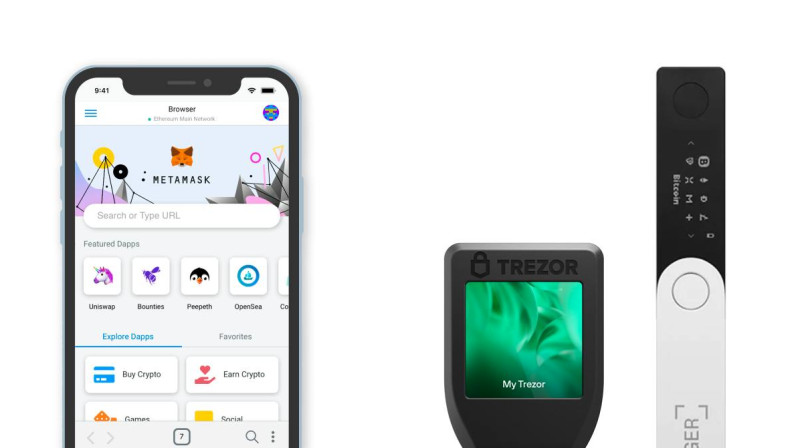
A browser-extension wallet is installed in a browser and operates inside an extension interface. It combines a locally installed component with a browser-based interface. Keys may remain under user control while the extension connects to networks and dApps. MetaMask is a commonly cited example of this format.
Advantages and Limitations of Software Wallets
Software wallets give you fast access and trading because the wallet is connected to the internet. They have familiar banking-app-style interfaces and are generally easy to set up and use. Many are available at no direct cost. They are suitable for small holdings frequent transactions and everyday dApp use. Many support trading fiat purchases DeFi NFTs HD addresses multisignature and hardware-wallet integration.
But there are real limitations. Software wallets expose you to malware phishing compromised applications malicious browser extensions and insecure devices. Public keys and addresses are exposed when the wallet is used online. Loss of the device password private key or seed phrase can result in permanent loss of access if no backup exists.
Software wallets can work alongside a hardware wallet. A hot wallet can be used for everyday activity while a hardware wallet holds keys for long-term storage. Some wallets can create a hardware-wallet account or connect to an external hardware signer.
Examples of software wallets include 1inch Wallet MetaMask Trust Wallet Exodus Coinbase Wallet Electrum MyEtherWallet also called MEW Rainbow Rabby Braavos Argent X Emerald Wallet and Brave Wallet.
MetaMask is described as a user-friendly option for Ether and ERC-20 tokens that integrates with many dApps. MyEtherWallet is described as a web-based interface that gives users more direct control over interaction with Ethereum. Braavos and Argent X are cited as Starknet wallets. Braavos is presented as a user-focused wallet with security features while Argent is described as combining security with an interface for digital-asset and DeFi use.
Hardware Wallets
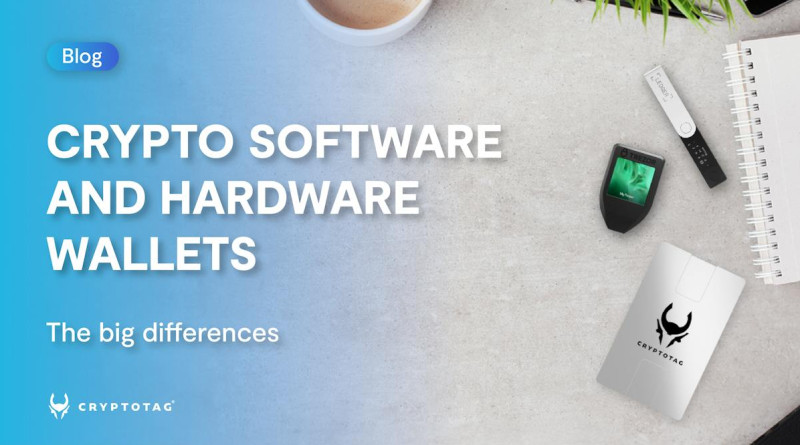
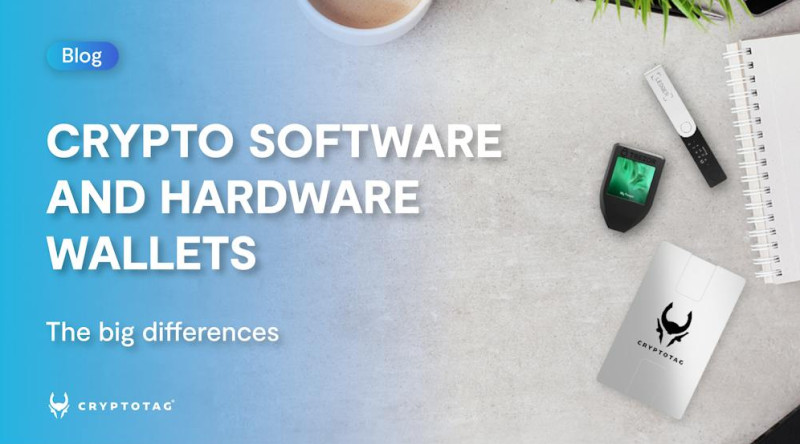
A hardware wallet is a physical device designed to generate store and use private keys with stronger isolation from an internet-connected computer or phone. It commonly resembles a USB drive and may include a small screen buttons a fingerprint reader or other controls. The device holds keys not the coins themselves. It acts as a signing interface for assets that remain on the blockchain.
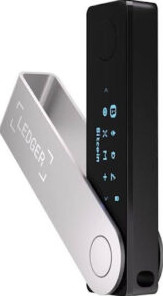
Popular hardware-wallet names include Ledger Nano S Plus Ledger Nano X Ledger Stax Trezor Model One Trezor Model T Cryptotag and Keystone hardware wallets. Ledger and Trezor are frequently cited as established hardware-wallet options.
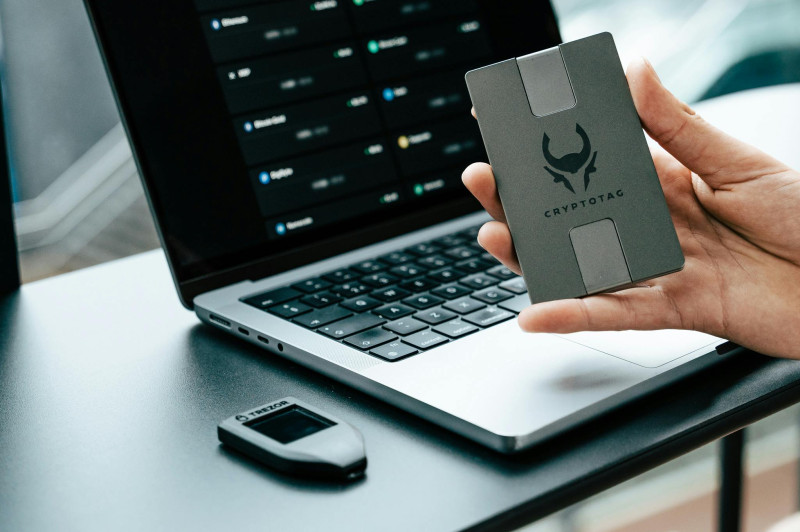
How a Hardware Wallet Works
A hardware wallet generally contains three core components: a computer chip that generates stores and protects cryptographic keys specialized firmware or an operating system designed to manage keys and transaction signing and an interface for displaying transaction details and communicating with a phone computer blockchain application exchange or dApp.
The computer chip may be a secure element similar to the type used in passports and credit cards. A secure element is designed to resist attempts to extract or alter stored data. Not all hardware wallets use a secure element and the level of protection varies by model.
Specialized firmware generates and manages keys in an isolated environment creates signatures and prevents private keys from being exported in ordinary operation. The phone or computer can prepare and display an unsigned transaction but the hardware wallet keeps the key inside its protected environment and confirms whether the transaction should be signed.
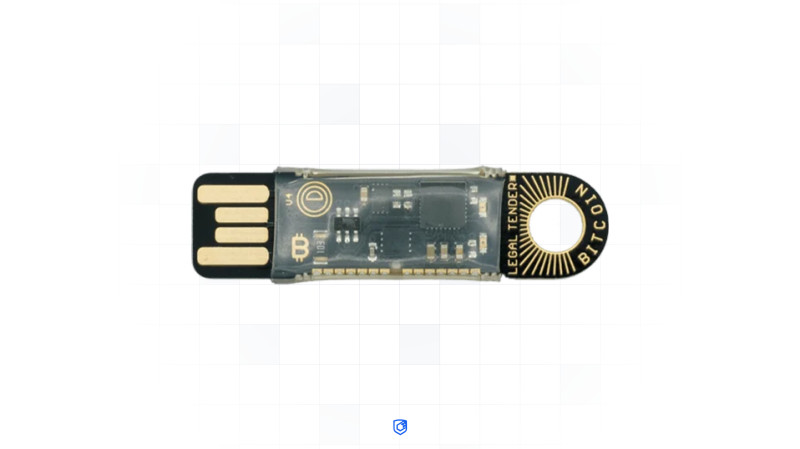
How a Hardware Wallet Processes a Transaction
A typical hardware-wallet transaction follows these steps: the user connects the device to a phone or laptop through a cable Bluetooth or another supported interface. The user creates a transaction in the companion software exchange wallet interface or dApp. The companion application sends unsigned transaction data to the hardware wallet. The device displays the transaction details sometimes called the transaction intent. The user chooses to sign or reject the transaction. The hardware wallet prompts the user to confirm the transaction on the physical device. The private key inside the device signs the transaction offline. The signed transaction is returned to the phone or computer. The phone or computer broadcasts the signed transaction to the blockchain without receiving the private key.
The hardware-wallet guide describes the physical-device confirmation as a second-factor or two-factor step because a connected computer alone cannot authorize the signature. Across the transaction the private key remains inside the device and is not exposed to the connected phone browser exchange or blockchain application.
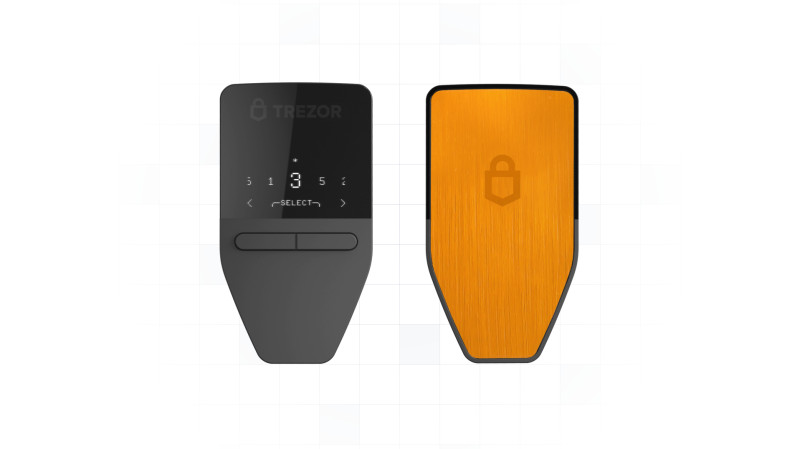
Hardware wallets can create keys for numerous addresses and may support multiple blockchains. A single recovery phrase can serve as a master backup for all device-managed keys allowing the wallet to be restored across supported networks after loss or damage.
Advantages and Limitations of Hardware Wallets
Private keys can be isolated from the internet and from a day-to-day phone or computer. Signing can occur without exposing the private key to the connected device. Users normally retain full self-custody. The device can protect substantial or long-term holdings. One device can manage multiple accounts addresses and supported chains. A recovery phrase can restore supported accounts on a replacement device. Offline signing reduces exposure to malicious software and online attacks. Some models support multisignature backup verification passcodes biometrics touch confirmation and tamper detection.
But hardware wallets have limitations too. A higher upfront cost than software wallets. More setup and learning requirements for new users. Less convenient for frequent trading because a connected device and software interface are required. Physical loss damage theft supply-chain compromise or a compromised device can still create risk. Not every hardware wallet uses a secure element so security varies. A hardware device is not automatically secure merely because it is called hardware or cold. The connected phone computer browser extension exchange or dApp may still present phishing malware or transaction-confirmation risks. The recovery phrase must be protected a hardware wallet does not prevent loss if its backup is stolen or destroyed. Some assets or networks may not be supported.
The Cyfrin hardware-wallet guide published April 19 2024 states that hardware-wallet keys remain protected from malicious online software unless the device itself is compromised. This is more qualified than statements in other materials that describe hardware wallets as completely immune to hacks. A connected transaction still enters an online environment and a physical device can be compromised or manipulated. The key-staying-inside-the-device process is the central security property not absolute immunity from every attack.
Paper and Metal Cold Wallets
A paper wallet prints a private key public key or seed phrase on paper. Other cold-storage arrangements may engrave a key or recovery phrase on metal. The purpose is to remove the key from an internet-connected device.
A paper wallet may be safe if the physical copy is kept in a secure location but it introduces separate risks. The paper may be lost destroyed burned flooded or otherwise damaged. Another person may find or steal it. The information may be exposed through insecure storage or disposal. A paper wallet cannot independently connect to a network or perform a transaction. Assets controlled by the paper key must be imported or swept into another wallet before they can be used through that wallet.
The 1inch guide describes a paper wallet as a private key or seed phrase printed on paper and states that it cannot perform transactions by itself. The Fortanix guide adds that public and private information may be printed separately and that a user must move or sweep the funds into a software wallet to spend them.
A hardware wallet is generally more convenient than paper because it can connect to an application and sign transactions. Paper and metal remain relevant as offline backups but they depend heavily on physical security and careful storage.
Hot Wallets
A hot wallet keeps or uses keys in an environment connected to the internet. Software wallets are commonly hot because they must communicate with blockchains exchanges and dApps. Some web wallets are hot and custodial because a service holds the keys while other web applications are hot and self-custodial because the user retains the keys.
Hot-wallet forms include online custodial wallets mobile-wallet applications desktop-wallet applications browser extensions and web applications.
Online custodial wallets are easy to use but introduce a third party that may be exposed to hacking insider access service failure insolvency or account restrictions. Smartphone wallets are portable and can be used wherever the user has network access. Their security depends on the phone operating system application account protections and storage of credentials. Desktop wallets are installed on a computer. A compromised or infected computer can expose the wallet. Strong encryption and keeping keys in a protected device location may reduce risk but the device remains internet-connected.
Hot wallets are useful for frequent trading everyday transactions dApp interaction DeFi activity small balances that need rapid access and assets intentionally exposed to online applications for a limited period.
The cited guidance repeatedly advises against keeping a large amount of cryptocurrency in a hot wallet because internet exposure creates a greater attack surface. A common arrangement is to hold long-term assets in cold or hardware storage and use a separate hot wallet for smaller active amounts.
Cold Wallets
A cold wallet keeps key-generation and signing operations away from the internet. Cold storage includes hardware wallets paper wallets metal backups and other offline arrangements.
Cold storage is generally described as more secure for long-term holdings because malware phishing browser compromise and remote attacks cannot directly reach an offline key. It is also less convenient. A hardware wallet must connect to another device to construct and sign a transaction while a paper or metal wallet must be imported into a usable wallet.
A cold-wallet arrangement can reduce the consequences of a compromised hot device because the long-term private key is not stored there. It can also divide balances across several wallets limiting the amount at risk if one address key device or backup is compromised.
Cold storage does not remove all risk. The owner can still lose the device or backup disclose the key sign a malicious transaction fall for a phishing attack or provide a recovery phrase to a fraudulent party.
Warm Wallets
Warm wallets are presented as a middle category between hot and cold systems. In the Fortanix description warm-wallet keys remain online and some transaction operations can be prepared automatically but a human must explicitly sign and send the transaction to the blockchain.
Warm systems may add controls such as time-based one-time passwords transaction approval policies programmable spending limits required second-device confirmations scheduled restrictions on when transactions may occur and backend or confidential-computing controls.
A warm wallet is more efficient than a fully manual cold-storage workflow for some transactions but it retains online exposure. It also requires trust in the wallet backend software rules authentication system and any company operating those controls.
Custodial Wallets
A custodial wallet is controlled by a third party that holds the private keys and controls access to the funds. Centralized cryptocurrency exchanges commonly offer custodial wallets or exchange accounts. Binance Coinbase and Gemini are listed as examples.
A third-party custodian controls the relationship between the user and the blockchain assets. The user may have an account and password but the exchange has the key or seed material needed to move the assets. The expression "not your keys not your coins" summarizes this distinction.
Advantages of a custodial wallet include access that can often be restored if the user loses a private key because the custodian retains a backup or recovery mechanism. The user does not have to manage a seed phrase directly. Recovery and account support may be available. The interface may be simpler for beginners. The exchange may handle transaction processing and asset availability.
Limitations of a custodial wallet include a third party that can block restrict freeze or reverse access according to its policies account status legal requirements or security controls. The user must trust the custodian with the private key. The custodian may be vulnerable to hacking or insider misuse. Funds may be lost if the exchange service or associated company becomes insolvent. A third party can potentially freeze an account. Registration and identity verification are usually required often including KYC which the 1inch article expands as "know your client." Personal information and identification documents may be required. The user does not have full and exclusive control over the assets.
Donald McIntyre's May 11 2023 Ethereum Classic course describes a common progression in which a new user may first hold cryptocurrency on a centralized exchange later learn about custody and security move to a non-custodial software wallet and then move to a hardware wallet as responsibility for key security becomes clearer. The course warns readers to do their own research and "don't trust verify."
Self-Custodial Wallets
A self-custodial or non-custodial wallet gives the user sole authority to manage and spend the assets. No third party holds the private key or seed phrase. A lost password private key or recovery phrase normally cannot be reset by a wallet provider.
Self-custodial wallets can be software applications hardware devices paper storage smart wallets or multisignature systems. MetaMask Trust Wallet 1inch Wallet and other non-custodial applications are listed as examples. Cold wallets are also generally classified as non-custodial.
Advantages of a self-custodial wallet include full and exclusive control over the funds. No third party can ordinarily remove or freeze an account. No intermediary holds the private keys. A wallet can usually be imported into another compatible wallet using the private key or recovery phrase. Funds can remain available even if one wallet application stops working provided the user has a correct backup. Creation can be fast and does not normally require an exchange account or KYC process. Some non-custodial wallets do not require personal documents or identity information to be created. A user can choose where and how the keys are stored subject to the security responsibilities involved.
Limitations of a self-custodial wallet include loss of the private key or seed phrase that can permanently prevent access. There is normally no customer-service reset "Forgot Password" email or provider-held backup. The user is responsible for malware phishing device security backups and transaction verification. A user who does not understand the recovery process may create unusable or insecure backups. A software wallet is vulnerable to attacks on the device or application. A hardware wallet can be lost or damaged making its backup essential. A smart wallet can introduce smart-contract code developer and governance risks.
A Fortanix section uses the conflicting phrase "wallets that don't contain your keys or cash" while describing non-custodial wallets. Elsewhere in the same discussion it correctly states that only the user has access to the private keys and that only the user can authorize spending. Across the wallet definitions the key custody question is who can access and use the private key not whether a physical wallet contains a coin.
A web or online interface is not automatically custodial or self-custodial. Custody depends on who has the key. A centralized exchange account is commonly custodial. A browser application can be self-custodial if the user controls the key or custodial if the service controls it.
Multisignature Wallets
A multisignature or shared wallet requires more than one signature to authorize a transaction. Owners define a set or threshold of addresses that must approve. If a required signature is missing the transaction cannot be completed.
Multisignature wallets are smart-contract-based. Unlike a standard self-custodial wallet controlled only by one user a multisignature wallet is controlled by code and its designated owners.
Advantages of multisignature wallets include more than one person or key must participate in authorization. Reliance on one person or device is reduced. An attacker may need access to several devices or signing authorities. The setup can be useful for groups organizations decentralized autonomous organizations shared treasuries and escrow arrangements. A lost or compromised single key does not necessarily provide complete control. The owners can define transaction policies and required signer combinations.
Limitations of multisignature wallets include setup that can be more difficult than creating ordinary single-signature wallets. Owners must securely manage every required key and signer. A poorly designed owner set can make transactions difficult to authorize. A bug in the controlling smart contract can affect the multisignature system. Changes to owners thresholds or signing policies require careful governance.
A standard software wallet's risk may be harder to mitigate when one person is responsible for all keys. Multisignature arrangements are presented as a way to distribute that risk.
Hierarchical Deterministic Wallets
An HD or hierarchical deterministic wallet allows a user to generate multiple public addresses and child keys from a master key derived from a seed phrase. The seed phrase acts as the master recovery source. From it the wallet can derive a large number of child private keys and corresponding public addresses. Those addresses can be linked to one wallet balance or account structure while presenting different addresses to other users.
Benefits of HD wallets include avoiding publishing every transaction under the same address. A user who makes many transactions can avoid continual reuse of one public address. Different addresses can be generated for different purposes or counterparties. A master recovery phrase can restore the wallet's derived key structure. The feature can reduce the amount of activity linked to one address. The 1inch guide states that derived addresses can remain usable even if a backup of an individual private key is lost provided the master recovery information remains available.
Limitations of HD wallets include that the master seed phrase becomes highly sensitive because it can derive the wallet's keys. A backup of the master seed is critical. The 1inch guide states that child keys and the master key cannot be handed over simultaneously as a single ordinary key-transfer operation. Users who do not understand derivation and backup can accidentally create overlapping or poorly organized address sets.
The 1inch Wallet MetaMask and Ledger are cited as software and hardware wallets that support HD-wallet functionality.
Smart Wallets and Account Abstraction
A smart wallet is a wallet that uses programmable smart-contract behavior to automate or enforce aspects of asset management. Instead of only holding keys and signing ordinary transfers a smart wallet can impose rules about who can approve transactions how much can be spent when a transaction can occur and how access is recovered.
Kate Zogaj's June 26 2025 analysis describes smart wallets as a response to friction in traditional self-custody. A smart wallet may be programmed to require multiple device confirmations for a large transaction require a second approval from another device cap spending during a particular period or enforce a daily limit delay a transaction until a specific time use a session key that gives an application temporary access allow trusted people to help recover access through social recovery delay or restrict actions until a predefined condition is met and automate transaction preparation while requiring human authorization for the final signature.

Account abstraction changes the relationship between wallets and smart contracts. In earlier blockchain systems especially the account model described for Ethereum there were two separate account types: an account controlled by a private key and a smart-contract account controlled by code. Account abstraction removes the strict separation between these models. A wallet can behave more like a programmable mini-program rather than only acting as a container for a key. Users or developers can customize its recovery and authorization rules.
These features provide more control than early non-programmable wallets but they also add complexity. In the early period of crypto development described as roughly 2009 through 2015 a simple rule applied: possession of the private key meant control and loss of the key meant loss of access. Smart wallets move some control from a single key to software instructions.
A smart wallet can consequently depend on correctly written code code that has not been compromised updates to the wallet's smart contracts accurate documentation the integrity of the interface the availability of recovery services and the developers auditors and governance participants responsible for the system.
A bug outdated code incorrect fee calculation or flawed recovery process can expose assets. A user may not know whether a loss resulted from a software bug unclear documentation a design decision a third-party integration or an error made while approving a transaction. This is described as delegated trust. The term is associated in the source material with Frank Pasquale's 2015 work on black-box systems. Instead of trusting only a person or institution a user places trust in software source code interfaces automated decision rules and the organizations that maintain them.
Smart wallets shift some responsibilities from banks or other institutions to users developers designers auditors and code. If a smart-wallet contract update introduces a critical bug or a fee is calculated incorrectly responsibility may be unclear. Possible parties include the user who approved an interface they did not fully understand the developer who wrote the code the auditor who reviewed it the organization that deployed the contract the interface designer who shaped the approval flow and the governance participants who authorized the update.
Convenience can hide the technical complexity on which users still depend. A person may use auto-recovery or one-click approval without knowing how the feature works or who maintains it. Trust is therefore redistributed across codebases interfaces policies recovery providers and third-party integrations rather than eliminated.
Smart-wallet usability can also create barriers. A social-recovery design may assume that a user has a stable and trustworthy social network. That assumption may not hold for migrants political dissidents people in conflict zones isolated individuals or others without dependable contacts.
Cloud-backup designs may assume reliable internet access technical literacy access to a personal device comfort with centralized service platforms and the ability to complete identity-verification or recovery flows. People in rural areas with intermittent connectivity may be unable to finish a recovery or identity process and could be locked out. A gasless-transaction feature that uses a sponsored relayer depends on the availability of that infrastructure. Some emerging chains or regions may not have equivalent relayer support.
Biometric login and one-click recovery may be easy for some users but unsuitable for people who reject surveillance-based tools or do not have access to modern devices. Language aesthetics bandwidth literacy device ownership and infrastructure assumptions can influence who can use a wallet successfully.
These issues connect smart wallets to broader questions about infrastructure classification design and inclusion. The analysis references Geoffrey Bowker and Susan Leigh Star's 2000 work on classification and Vitalik Buterin's 2021 explanation of Ethereum account abstraction. Questions raised by smart-wallet design include who builds and maintains the system whose assumptions are encoded in its rules which users are excluded by its recovery or identity flows does the interface make risks visible who is accountable when automated rules fail which populations are assumed to have trusted contacts reliable connectivity modern hardware or technical knowledge whose expectations are embedded in a supposedly intuitive interface what forms of financial agency are enabled by the wallet and which future users may be excluded by its assumptions.
Smart wallets can broaden access to DeFi by making recovery automation and account control easier. They can also move responsibility and risk from institutions to users and from people to code. Their effect on financial autonomy depends on the security model interface underlying code governance infrastructure and access assumptions built into them.
Specific Wallet and Security-Layer Designs
The Fortanix material describes a managed "Non-Custodial Warm Wallet" for business-to-consumer cryptocurrency services. It says the solution uses Trusted Execution Environments and confidential computing to add a second authentication factor without giving the wallet backend control of user assets.
The system is described as using a Time-based One-Time Password or TOTP. Its stated functions include preventing transfer of customer assets without explicit user consent moving the TOTP authentication process into a confidential-computing environment reducing the risk that a compromised wallet backend will expose end-user assets reducing operational risk for wallet providers and asset owners helping a business demonstrate to regulators insurance providers or other authorities that users' assets cannot be spent without explicit consent and supporting integration through a software development kit that connects with the web3.js Ethereum SDK.
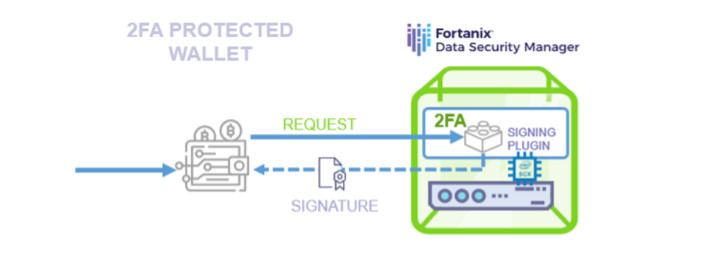
These are product-specific claims from the Fortanix material. The solution is positioned between a fully hot software wallet and a completely offline hardware workflow because keys are described as online while transaction authorization includes an additional protected approval step.
Keystone 3 Pro
The Keystone hardware-wallet section describes the Keystone 3 Pro as an open-source air-gapped device with an embedded system and three secure-element chips. The stated chip models are Microchip ATCC608B rendered in the source as ATECC608B Maxim DS28S60 and Maxim MAX32520.
The product is described as supporting multiple secret recovery phrases SLIP39 user customization of a secret recovery phrase open-source hardware and software multi-layer protection for seed phrases and biometric data tamper detection and immediate data erasure in the event of physical tampering.
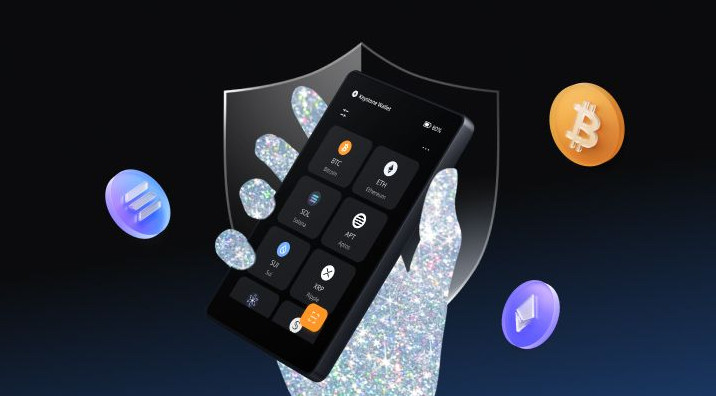
The recovery phrase allows a user to restore supported accounts on a replacement device if the original hardware wallet is lost or damaged. The product's privacy and immunity claims apply to the device and key-management process; public blockchain transactions may still be visible.
Cryptotag Hardware Options
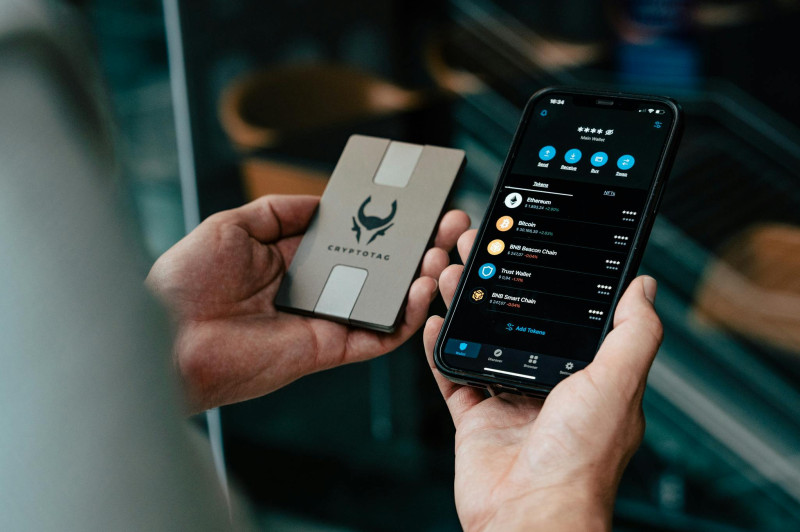
The Cryptotag material refers to hardware-wallet products named Loki Zeus Thor and Odin as well as BIP39 and SLIP39 backup products. Loki is described as a hardware-wallet backup option for Bitcoin and other crypto. The product material includes imagery of a Cryptotag being used with an iPhone a Trezor Model T and the Exodus application.
The visual examples place Cryptotag in a broader hardware ecosystem: a phone application can be used to create or recover keys while a Trezor device or other wallet interface can hold a hardware-wallet account.
Ethereum Classic and Other Brand Lists
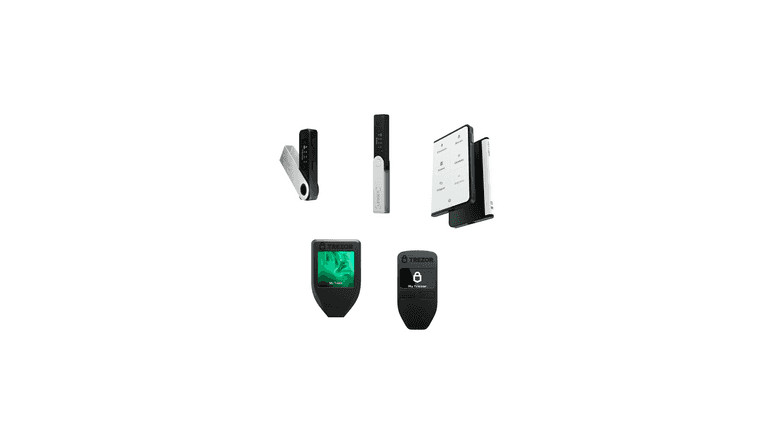
The Ethereum Classic course identifies software-wallet brands used with ETC as MetaMask Trust Wallet Exodus Emerald Wallet and Brave. It identifies hardware-wallet brands used with ETC as Ledger Nano S Plus Ledger Nano X Ledger Stax Trezor Model T and Trezor Model One.
The course states that software wallets and hardware wallets are both non-custodial when the user manages the keys but the private keys are located and secured differently.
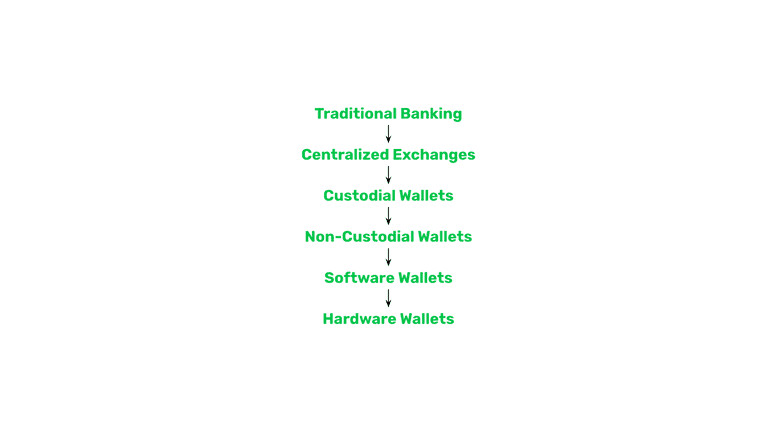
The diagrams represent the progression from centralized ownership to non-custodial software and hardware wallets. The source warns that its information is user-generated does not endorse any listed product and should not replace independent research.
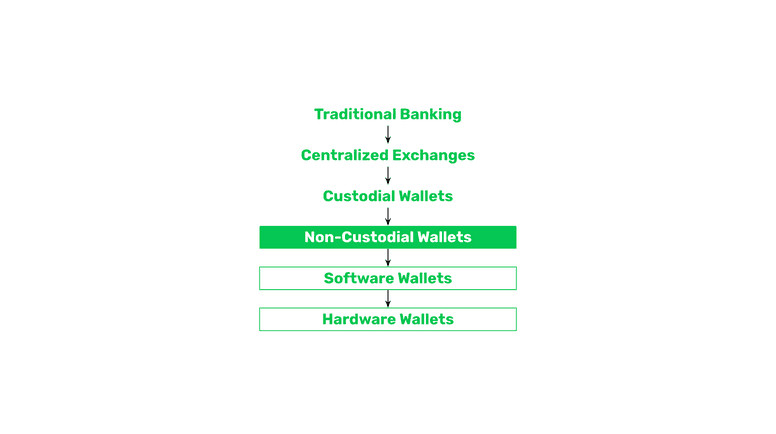
A software wallet commonly provides 12 to 24 words as a recovery passphrase. The encrypted private keys remain on the phone or computer in a file sometimes called a vault. If another person gains access to the device the assets may be stolen. The convenience of software wallets is therefore paired with greater device and malware exposure.
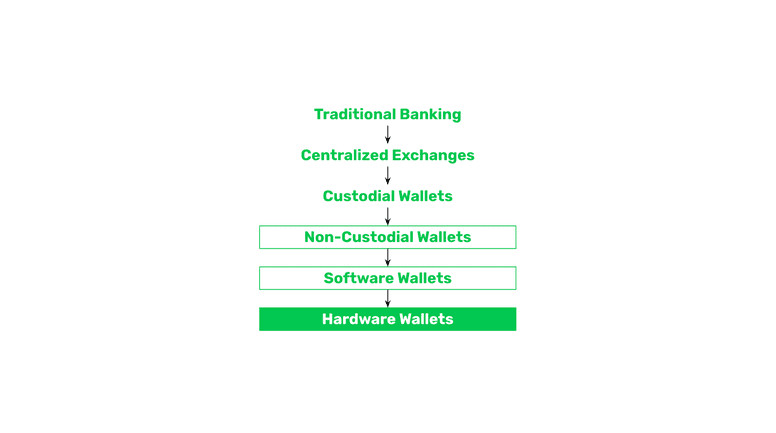
Hardware wallets separate the private keys from a phone or computer. If the everyday device is lost or stolen the attacker cannot access the hardware-wallet key unless the hardware device or its recovery information is also obtained. Transactions are prepared in an application but the user must connect the hardware wallet and sign through the device.
The Ethereum Classic material emphasizes that brand compatibility should be checked for the intended blockchain. The same principle applies to tokens networks exchanges and dApps.
Wallet Security Practices
The private key or seed phrase should never be disclosed to an untrusted person. No legitimate wallet provider exchange representative bank or support agent should need the phrase to complete an ordinary support request. Anyone who receives the phrase may be able to take control of the assets.
A recovery phrase should be kept offline and in a secure location. The cited guidance includes several backup options: a carefully protected written copy multiple copies in separate safe locations a metal or other durable offline backup an encrypted external drive a compatible hardware wallet and a separate recovery system that does not depend on one application.
Backups should be tested from time to time to confirm that they can restore the intended wallet. A backup that has not been tested may be incomplete incorrectly recorded damaged or incompatible with the replacement wallet.
The Starknet guidance recommends not keeping a recovery phrase only on the same computer or phone used for the wallet. The Fortanix guidance says that paper or a USB-like backup can protect against computer failure loss or infection. Multiple backups can protect against one backup being lost while each additional copy also creates another location that must be secured.
Use a Strong Unique Password
Where a software wallet or custodial account uses a password the password should be strong unique and different from passwords used for other accounts. The Starknet guidance recommends a password of at least 12 characters using a mixture of letters numbers and special characters. A password manager can be used to organize credentials.
Password strength does not replace safe key custody. A strong password can still be defeated by phishing malware an already-compromised device or a compromised service.
Enable Two-Factor Authentication
Two-factor authentication or 2FA adds a second verification step to an account. The cited guidance says it can use a code delivered by mobile or email. 2FA is most applicable to custodial exchange accounts and other service-based interfaces since a self-custodial wallet may be controlled by a private key rather than a conventional service account.
A hardware wallet's requirement for both a connected interface and physical-device confirmation is also described in one guide as a two-factor process. In either case the connected computer or service does not possess complete signing authority by itself.
Keep Wallet Software and Devices Updated
Wallet applications browser extensions operating systems and hardware-wallet firmware should be kept current. Updates may include security patches and fixes for known vulnerabilities. The Fortanix material also recommends using the most recent software version and maintaining a backup for key recovery.
Use a Secure Network
Users should avoid unsecured public Wi-Fi when accessing a wallet when a trusted private connection is available. A compromised network can expose credentials session data or transaction requests.
Download Software from Official Sources
Wallet applications should be downloaded from official websites or reputable application stores. Fraudulent applications can imitate legitimate wallets and capture seed phrases or private keys.
Check Transaction Details
Before signing users should verify the recipient address the intended recipient the amount the asset or token the network or chain the contract or dApp any approval or spending permission the fee and whether the transaction is a transfer swap staking action or contract interaction.
A transfer generally cannot be undone after it has been signed and submitted. Smart-contract approvals can also expose assets even when the immediate transaction appears ordinary.
Avoid Phishing and Too-Good-to-Be-True Offers
Unexpected emails messages websites social-media posts investment offers and support requests may be attempts to obtain credentials or private keys. The user should verify the source independently and avoid clicking suspicious links.
The Fortanix guide identifies sending assets to an unauthorized person as one of the most common wallet errors. It also notes that a recipient who refuses to return funds can make recovery difficult or impossible.
Review Wallet Activity
Users should periodically review transaction history and wallet balances. An unfamiliar transfer token approval login or account change should be investigated promptly. If a device wallet or account may be compromised the relevant credentials should be secured or moved to a safer wallet as soon as possible.
Separate Active and Long-Term Holdings
A common pattern described across the materials is to use one or more hot wallets for small active balances and a hardware or other cold wallet for long-term holdings. The split reduces the amount exposed if a hot device or application is compromised. It can also preserve convenient access to funds needed for transactions.
The Cryptotag guidance states that hardware storage becomes particularly relevant for long-term portfolios exceeding "a couple of hundred euros or dollars." This is a source-specific practical threshold rather than a universal technical limit. Other materials describe the appropriate amount in terms of "significant" or "large" holdings risk tolerance and frequency of use.
The Fortanix material states that putting a lot of digital assets in one wallet is risky and that using both hot and cold wallets can improve privacy and risk management. Splitting holdings can limit the loss if one private key address device or application becomes compromised but it also creates more wallets and backups to manage.
Keep Software and Hardware Wallets Compatible
Compatibility should be checked before selecting a wallet: the wallet must support the user's coins and tokens it must support the required blockchains it must work with the user's exchanges it must support relevant dApps or DEXs it must support the chosen network including Layer 2 networks and it must support the required signing method or hardware device. The companion application must be available and compatible with the user's phone or computer.
A wallet that is secure but incompatible with the intended network is not useful for that network.
Loss Recovery and Restoration
A custodial provider may be able to restore account access if the user loses a private key because the provider holds the key or a backup. Recovery can still be subject to identity checks account policies legal restrictions or provider procedures.
A self-custodial wallet normally cannot be reset by an exchange or application provider. The user needs the private key or recovery phrase. The first recovery step is to locate a backup. The user can then install a compatible wallet and enter or import the recovery information.
A lost password does not necessarily mean the assets are lost if the private key or recovery phrase is still available. A lost private key or recovery phrase is different: a self-custodial wallet provider generally cannot restore it.
A hardware wallet can usually be replaced if the recovery phrase and required setup information are available. The new device restores the supported accounts and derives the relevant keys. If both the hardware device and recovery phrase are lost the assets may be inaccessible.
The recovery phrase must be checked carefully because an incorrect word missing word or wrong derivation path can prevent restoration. Multiple tested backups reduce the chance that a single damaged copy becomes the only remaining option.
If a paper or metal wallet is lost another copy is needed. If no backup exists the private key may be unrecoverable even though the public address and blockchain balance remain visible.
The Fortanix material notes that a reputable custodial exchange may hold funds in cold-storage hardware but that arrangement remains dependent on the exchange's security and solvency. Hardware storage by a provider does not give the user direct control over the keys.
How to Choose a Software or Hardware Wallet
The choice depends on the user's function security needs amount held frequency of transactions technical comfort and preferred custody model. The cited materials frame the following factors.
Security Features
A hardware-wallet buyer should examine whether the device offers a secure element a PIN or passcode biometric protection where appropriate transaction confirmation on the device multisignature support recovery-seed backup backup verification tamper detection open-source firmware or software secure-element protection a clear screen and transaction display and protection against unauthorized approvals.
A software-wallet user should examine whether private keys remain on the user's device whether the provider can access or recover them whether the application supports 2FA if it is an account-based service how the seed phrase is generated and backed up whether the source code is open or independently reviewed and how the wallet handles updates sessions permissions and dApp connections.
Interface and Ease of Use
Some wallets are designed for beginners while others assume advanced knowledge of seed phrases networks contracts and signing. A user should consider setup difficulty whether the interface clearly shows transaction details whether the wallet supports the user's devices whether the device screen displays addresses and amounts clearly whether the user can reject a transaction whether recovery instructions are understandable and whether the wallet supports the user's technical comfort level.
The hardware-wallet material notes that beginners may find the setup process challenging. The price of a device does not remove the need to understand how to initialize back up restore and use it.
Supported Coins Tokens and Networks
The wallet must support every asset and blockchain the user intends to manage. Compatibility may include individual coins ERC-20 or other token standards Layer 1 and Layer 2 networks NFTs staking assets DeFi protocols bridges and smart contracts.
A hardware wallet may support multiple blockchains but the companion software installed application firmware and specific wallet account may also have limits.
Platform Compatibility
A user should determine whether the wallet can connect to the user's phone or computer centralized exchanges decentralized exchanges dApps wallet software used for account creation bridges and backup devices.
A device that supports multiple blockchains may still require a separate software wallet or interface for each network.
Code Transparency and Reproducibility
The hardware-wallet selection guidance recommends open-source software when possible. If the software is not open source it should be securely developed and independently audited.
The guide also recommends reproducible code. A user or security researcher should be able to compare the code the company says is running on the device with the code available for review. This makes it easier to inspect areas where a private key could potentially be exposed.
Reputation and Longevity
The manufacturer software developers and support community should have a reputation that can be evaluated. Users are encouraged to review independent customer feedback security history update practices and product longevity. The Ethereum Classic material adds a broader warning: no product should be accepted solely because it appears in a wallet list or educational page.
Cost and Convenience
Software wallets are often free and more convenient for daily activity. Hardware wallets cost more and require a connection to another device. The cited guidance presents the higher cost as a tradeoff for key isolation and long-term security.
A software wallet may be more appropriate for frequent trading small everyday balances learning how wallets work dApp interaction and quick access to funds.
A hardware wallet may be more appropriate for long-term holdings larger balances users unable to keep an internet-connected computer uncompromised users who can securely maintain an offline recovery phrase and users who can tolerate slower transactions and additional setup.
Custodial or Self-Custodial
A custodial wallet may be chosen for ease of use exchange integration and provider-assisted recovery. It requires trust in the exchange's security policies and continued operation.
A self-custodial wallet may be chosen for exclusive control no KYC requirement and protection from an exchange freezing or removing access. It requires the user to manage keys backups devices and recovery.
A mixed arrangement can combine an exchange or custodial account with a self-custodial wallet. The source material explicitly says some users use both types.
Warm Multisig or Smart Controls
A warm wallet may be appropriate where online access and human confirmation are both required. A multisignature wallet may be appropriate where several people or keys must approve transactions. A smart wallet may be appropriate where programmable limits social recovery session keys or time locks are required.
Those features also create additional dependencies. Multisig requires secure signer management. Warm wallets depend on their authentication and backend systems. Smart wallets depend on code updates developers auditors and governance. A simpler wallet may be easier to reason about but less flexible.
How Wallet Security and Terminology Differ Across the Materials
The following distinctions are important when comparing the wallet categories: a software wallet is the form of the program; a hot wallet describes its internet-connected use. A self-custodial web wallet can be hot and a custodial exchange wallet can also be hot. A hardware wallet is the physical device; a cold wallet describes offline key use. A hardware wallet can create cold storage but a connected hardware-wallet account is no longer fully offline. A paper wallet is cold but is not a hardware device in the electronic sense. A web wallet is an interface and can be custodial or self-custodial depending on key control. A password can unlock an interface without being the blockchain private key. A seed phrase is master recovery information not the coins themselves. A public address can be shared to receive funds while a private key should remain secret. A hardware wallet keeps the private key from being exposed to the connected computer but it does not guarantee that the connected computer website exchange or dApp is safe. Statements that a hardware wallet is "immune" to online threats describe key isolation. They do not remove phishing physical compromise malicious transactions or software vulnerabilities. Statements that hardware-wallet data is "100% anonymous" are separate from the fact that public blockchain balances and transactions may be visible. A self-custodial wallet removes the provider's ability to reset or freeze access but it also removes the provider's ability to recover a lost key. A hot wallet improves convenience but increases attack exposure. A cold wallet improves key isolation but reduces convenience and depends on backups. Multisignature and smart wallets can improve control or automation while adding code setup and governance dependencies.
Key wallet selection factors
- Security needs and threat model
- Amount held and risk tolerance
- Frequency of transactions
- Technical comfort level
- Custody preference
- Supported coins tokens and networks
- Platform compatibility
- Code transparency and audit status
Common security practices
- Protect the private key and recovery phrase
- Use a strong unique password
- Enable two-factor authentication
- Keep wallet software and devices updated
- Use a secure network
- Download software from official sources
- Check transaction details before signing
- Avoid phishing and too-good-to-be-true offers
- Review wallet activity periodically
- Separate active and long-term holdings
The expression "not your keys not your coins" summarizes the custodial distinction. If you do not control the private key you do not really control the assets.
A common arrangement is to hold long-term assets in cold or hardware storage and use a separate hot wallet for smaller active amounts. This split reduces exposure while preserving convenient access.
The key-staying-inside-the-device process is the central security property of hardware wallets not absolute immunity from every attack.
Comments on “How to Choose Between Software and Hardware Crypto Wallets Safely”
No comments yet. Be the first to share your thoughts.