Prepaid card to buy crypto: my step-by-step secure guide
Why I looked at a prepaid card to buy crypto
I decided to buy Bitcoin without a bank account. A prepaid card to buy crypto seemed like a plain fix for me. I saw that you can fund a wallet with a Visa or Mastercard prepaid card and skip the credit line. This matters for folks who don't want a bank or can't get one. When I asked how to buy cryptocurrency with no bank, the prepaid path stood out. The short answer is you load a card, pick a platform, and trade cash for coins fast. No credit line needed to start investing. I wrote this post to show step by step how a prepaid card to buy crypto can fund your wallet, what limits to expect, and tips to keep fees low. It is not hard, but you need to know which cards work and which sites take them.
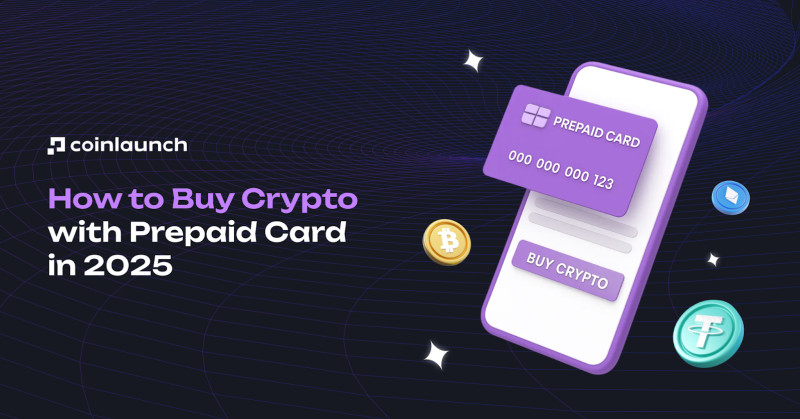
The core concept of this post is the prepaid card to buy crypto method. You don't need a fancy bank or a loan. You just get a card with cash on it, go to a site that takes it, and swap that balance for digital coins. I like this because many people feel left out of crypto due to bank rules. This way puts the power back in a plain plastic card.
How the BitPay app works for prepaid cards
The BitPay app is one easy spot to use a prepaid card to buy crypto from my experience. You get the app, tap buy, pick amount, and enter card details. They work with partners like Simplex and MoonPay to fill the order. I like that more than 60 coins are there, from BTC to stablecoins. The home screen has a clear buy button. You can use a prepaid debit card as payment method. Just make sure the card balance covers the purchase. BitPay also takes credit cards, Apple Pay, Google Pay, and bank transfers where allowed.
Steps in the BitPay app
- Get the app from your store or scan a code
- Tap the buy button on the home screen
- Choose amount and the coin you want
- Enter prepaid debit card info and check balance
- Pick an offer from a partner and finish on their site
Card issuers may decline charges on their side regardless of partner.
One important note: not every partner takes every card. Simplex, MoonPay, Banxa, and Sardine may take some prepaid cards, but Ramp does not. For best results use Visa or Mastercard. Sardine is the only one that takes AMEX and Discover in this app. The quoted rate is the rate you pay, so no hidden fees there. Crypto shows up in your wallet near instantly after the partner clears the buy.
Buying through the BitPay website
If you prefer a browser, the BitPay site also allows a prepaid card to buy crypto to work. You pick a coin, send to any wallet, and pay with the card. The minimum buy is $50 there. Crypto goes to your wallet near instantly after you pick an offer. This is good for folks who don't want to install another app. You can even create a free BitPay wallet on the site if you don't have your own.
Website steps
- Choose crypto on BitPay buy page
- Enter your wallet address or make a free BitPay wallet
- Select prepaid card offer and enter details
- Get crypto in your wallet almost instantly
On the web, Simplex and MoonPay may take some prepaid cards, but Wyre and Ramp do not. AMEX and Discover are not widely supported by partners there. The process is plain: see the offer, read the fee, confirm, and the coins land in your address. I found the site clean and quick for a first try.
Cards that get accepted
A big question is which plastic works. The prepaid card to buy crypto method favors Visa and Mastercard. In the crypto debit card in usa space, gift cards from Visa are common. Vanilla gift cards and Mastercard prepaid debit also work on BitPay. Some virtual cards added to Apple Pay work like physical ones. But always check if the issuer blocks crypto buys. That saves you a declined charge.
Card types that often work
- Visa gift cards
- Vanilla gift cards
- Mastercard prepaid debit cards
- Reloadable Visa or Mastercard debit cards
American Express and Discover prepaid cards are rarely supported.
If you plan to purchase high value crypto, consider using a card that supports higher daily limits. Choose cards issued by major banks to reduce the chance of decline. Avoid cards labeled prepaid only if the issuer blocks crypto transactions. This small check makes the prepaid card to buy crypto path much smoother.
Coins you can get with a prepaid card
The prepaid card to buy crypto path opens a wide coin list. BitPay shows over 60 top cryptocurrencies and stablecoins. You can grab BTC, ETH, Dogecoin, Litecoin, and many more. The widget on their page shows the full set. RockItCoin through MoonPay adds even more like Cardano, Solana, and XRP. So you are not stuck with just Bitcoin.
Sample coins on BitPay
- Bitcoin (BTC)
- Ethereum (ETH)
- Bitcoin Cash (BCH)
- Dogecoin (DOGE)
- Shiba Inu (SHIB)
- USD Coin (USDC)
- Wrapped Bitcoin (wBTC)
- Gemini Dollar (GUSD)
Stablecoins are there too, which helps if you want to park value without wild price swings. The point is a prepaid card to buy crypto is not limited to one or two tokens. You can start with a small amount of a known coin and learn from there.
Using RockItCoin to buy crypto
RockItCoin is another spot for a prepaid card to buy crypto . They partner with MoonPay. You go to their buy page, pick a coin, paste your wallet, and enter card details. If needed, you verify your ID. This adds a layer of safety. The supported coins include Bitcoin, Ethereum, Litecoin, USDC, USDT, Cardano, Solana, and more.
RockItCoin steps
- Go to RockItCoin buy with card page
- Pick crypto like BTC, ETH, or USDC
- Paste wallet or make one in app
- Enter prepaid Visa or Mastercard details
- Verify ID if asked and confirm
All payments are encrypted via MoonPay; card details are not stored.
Safety is solid there because the card data is not kept on their servers. The prepaid card to buy crypto method via RockItCoin is good if you already like their app or want a simple page. Just remember international cards may have restrictions.
Other exchanges that take prepaid cards
Beyond those two, many exchanges let a prepaid card to buy crypto through Visa or Mastercard. Fees vary a lot. Some folks ask Coinbase for business account but I stuck to the ones with clear prepaid support from the source. The list below shows typical fees and a key feature for each.
Exchanges and their prepaid fees
- goodcryptoX via Banxa: 2.99 percent fee, multicurrency wallet
- Binance: 1.8 percent after KYC, wide asset list
- MEXC: 0.2 to 0.5 percent, low fee, 2800 plus pairs
- OKX: 0.1 to 0.5 percent, 300 plus assets, futures
- Bybit: 0.5 to 1 percent, simple UI, strong security
- Paxful: 2 to 10 percent P2P, escrow system
- KuCoin: 0.1 to 0.5 percent, many fiat, trading bot
- CEX.io: 2.99 percent, near instant, regulated
- Coinmama: 0.9 to 3.9 percent, since 2013, fast verify
Note that MEXC is not available in the U.S. and Canada. CEX.io has a $1,000 daily cap without full verify. Paxful has higher scam risk, so research sellers. The prepaid card to buy crypto works on these, but read the cons before you pick. Binance has regional limits. OKX and Bybit need KYC. Coinmama has higher fees yet long history.
General steps to buy with a prepaid card
If you want the bare bones, here is the prepaid card to buy crypto flow that fits most sites. Find a platform, open account, add card, pick coin, finish. It is that plain. Most platforms allow sign up with just email and basic info. Full KYC may be needed for higher limits.
Common steps
- Find platform that accepts prepaid cards
- Open account with email or basic info
- Add prepaid card details on deposit page
- Select the cryptocurrency you want
- Review fees and confirm, get crypto in minutes
Some exchanges require the card to be linked to your name; others accept generic Visa numbers from gift cards. The prepaid card to buy crypto idea is flexible. You can start with a $20 buy on many sites. Crypto is typically credited within seconds to a few minutes.
No KYC options for prepaid cards
Some people want to avoid ID checks. A prepaid card to buy crypto can still work through peer-to-peer sites. Bisq, RoboSats, Hodl Hodl, and LocalCoinSwap let you trade direct. You might also use non-custodial wallets with Apple Pay on-ramp. This keeps KYC optional but you must do your own checks on sellers.
No KYC places
- Bisq peer-to-peer marketplace
- RoboSats direct trade
- Hodl Hodl optional KYC
- LocalCoinSwap P2P
Be aware that P2P trades often carry higher price spreads.
You may wonder buy crypto on Robinhood without KYC, but that app needs an account and is not a prepaid card method. I kept to the listed P2P tools for no-ID buys. The prepaid card to buy crypto through these avenues may have lower limits but more privacy.
Storing crypto after purchase
Once you use a prepaid card to buy crypto , you need a safe spot for coins. Hardware wallets like Ledger keep keys offline. Mobile wallets like MetaMask give quick access. If you later move coins, you might ask how to get money from Trust Wallet to a bank, but that is a separate step. The key is you control the keys.
Storage choices
- Hardware wallets for large holdings
- Non-custodial mobile wallets like Exodus
- Custodial exchange wallets for trading ease
- Transfer big amounts to hardware, keep small on exchange
Best practice: Transfer significant amounts to a hardware wallet.
A prepaid card to buy crypto is only half the job. Keeping coins safe is the other half. I prefer a non-custodial wallet so no third party holds my keys. You can import extra wallets from exchanges into one app for convenience.
Safety steps I follow
Safety is key when you use a prepaid card to buy crypto . Stick to known platforms. Watch phishing links. Turn on two-factor auth. These are simple but vital. Never share card numbers in chat. Always check the web address before typing info.
Safety checklist
- Use reliable exchanges with clear fees
- Verify the domain before entering card info
- Never share card PIN or CVV in chat
- Activate 2FA with an authenticator app
- Avoid "double your BTC" scam offers
Any offer that promises to double your crypto is a fraud.
Also, fake support bots may ask for keys. Real support will not. Double-check addresses before you confirm. The prepaid card to buy crypto task should feel calm, not rushed. If a site feels off, abort.
Fees, limits, and card issuer notes
The prepaid card to buy crypto comes with costs. Processing fees run 1 to 5 percent. Some issuers treat the buy as cash advance with 2 to 3 percent fee. Daily limits without full KYC are $1,000 to $5,000. Completing KYC can raise limits to $10,000-$50,000.
Cost and limit facts
- Processing fees: 1 to 5 percent typical
- Issuer cash advance fee: 2 to 3 percent
- Daily limit no KYC: $1,000 to $5,000
- Full KYC limit: $10,000 to $50,000
- Minimum buy: $20 to $50 per platform
BitPay partners usually charge 2 to 4 percent. So read the offer before you tap confirm. A prepaid card to buy crypto can be cheap if you pick the right partner. MEXC and OKX show low percent fees. Paxful can be steep due to seller spread.
Crypto voucher cards as an alternative
If you hate typing card numbers, a crypto voucher is a neat swap. A prepaid card to buy crypto can be a voucher code instead. You buy a voucher, redeem on a platform, and get coins. Good for gifts or privacy. No bank account required and often instant.
Voucher steps
- Purchase crypto voucher from trusted vendor
- Visit approved platform like BitPay
- Enter voucher code and pick coin
- Confirm and receive crypto in minutes
Voucher code is effectively cash, keep it secure.
The prepaid card to buy crypto via voucher works when you have a prepaid Visa gift card and want to convert it fast. Only buy vouchers from trusted sources. Redeem on official platforms only. This avoids the risk of entering card data online.
Which card types work best
To make a prepaid card to buy crypto smooth, pick major bank cards. Visa prepaid gift cards are widely taken. Mastercard gift cards work on Banxa and others. Reloadable cards may get flagged, so watch declines. Virtual cards in Apple Pay act like physical ones where the network is accepted.
Card selection tips
- Visa prepaid gift cards: broad accept
- Mastercard prepaid gift cards: good on many
- Reloadable debit: okay but may flag
- Virtual cards in Apple Pay: act like physical
Choose cards from big banks to cut decline risk. If you plan a big buy, get a card with higher daily limit. The prepaid card to buy crypto method is only as good as the card behind it. A quick call to the issuer can confirm if crypto buys are allowed.
Rules, tax, and location limits
Using a prepaid card to buy crypto still meets rules. Most regulated sites need KYC: name, address, ID. This follows anti-money-laundering law. Keep records of buys for tax time. Some countries limit prepaid use, so check regional policy. Geographic restrictions can hit U.S. residents with higher scrutiny.
Keep transaction records (screenshots, emails) in case of audit.
Coinmama has been around since 2013 and shows the kind of long-standing exchange that follows these rules. The prepaid card to buy crypto does not dodge tax. Even without a bank, you may owe tax on gains. I keep a folder with screenshots for every buy.
Common questions on prepaid card crypto buys
I get asked a lot about the prepaid card to buy crypto method. Can you use Visa gift card? Yes. Extra fees? Yes, 1 to 5 percent plus issuer fees. Declined? Try another card with enough balance. How long? Seconds to few minutes. Need KYC? Basic may be required above daily limit.
Quick Q and A
- Visa gift card works on BitPay, RockItCoin, Binance
- Fees: exchange plus possible cash advance
- Declined: check balance and issuer allow crypto
- Time: seconds to few minutes for most buys
- KYC: needed above daily limit on regulated sites
The prepaid card to buy crypto is a clear tool once these points are clear. If your card fails, don't panic. Swap to a Visa from a major bank and try a smaller amount first.
Spending your crypto after buying
After you use a prepaid card to buy crypto , you may hold, swap, or spend. You can connect to merchants that take crypto or buy gift cards. People ask where to use crypto and the answer is growing. Some even buy hosting with crypto through voucher-style services. You can also swap BTC for ETH inside the BitPay app.
What to do with coins
- Hold in non-custodial wallet
- Swap BTC for ETH in app
- Spend at crypto-accepting merchants
- Buy gift cards with crypto
If you look for where to buy Flare crypto , note many prepaid platforms list 60 plus coins but not all altcoins. Check the widget first. The prepaid card to buy crypto gets you to a wallet, then you decide the rest.
My take on the best way to start
For me, the prepaid card to buy crypto is a solid path with no credit line. I think it is the best way to buy cryptocurrency for privacy and ease. If your card is on a phone, you might try how to buy crypto with Apple Card via Apple Pay links. The key is pick a known platform and read fees. Start with a small amount to learn the flow.
No credit line needed to start investing.
That's the gist of what I found. Use a Visa or Mastercard prepaid, start small, and move coins to your own wallet. The prepaid card to buy crypto method is not hard, just take it step by step. I hope my notes help you skip the bank and still get coins safely.
Comments on “Prepaid card to buy crypto: my step-by-step secure guide”
No comments yet. Be the first to share your thoughts.